
Which Pet Photo Works Best for an AI Video
The photo decides how much an AI pet video looks like your pet. See good and bad examples side by side, plus real before-and-after results from one photo.
Updated Nov 27, 2026
An AI pet video is only as faithful as the photo it starts from. The model uses your photo as the reference for your pet's breed, fur colour, markings and face, so a sharp, bright photo gives a video that looks like your pet — and a dark or blurry one gives the model less to go on.
Good photo, bad photo
The four examples below are all the same cat. Only the photo changes.
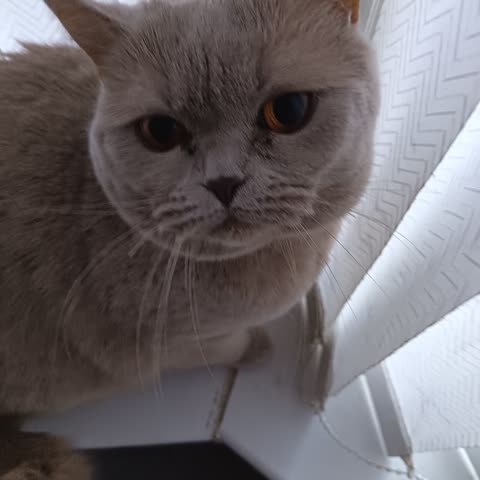 Sharp, bright, face visible
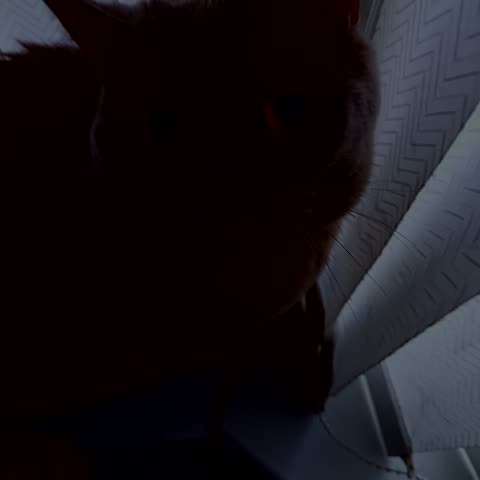 Too dark
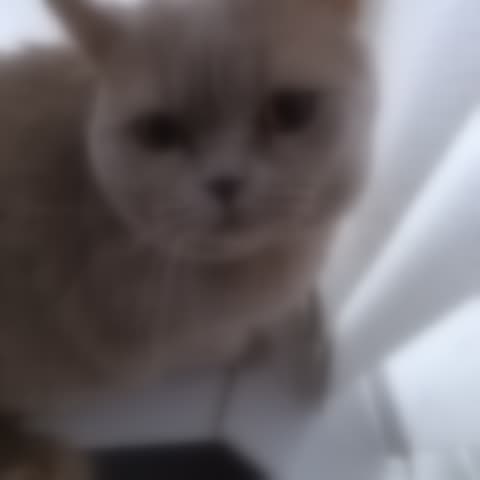 Blurry
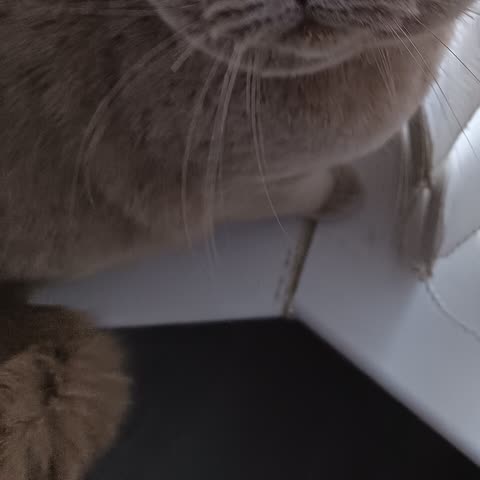 Face cut off
- Sharp and bright. Daylight or a well-lit room, the pet in focus.
- Too dark. Fur colour and markings disappear, and the model has to guess.
- Blurry. A moving pet or a shaky hand loses the details that make your pet recognisable.
- Face cut off. Most templates need to see the face — eyes, nose and ears.
The checklist
- One pet in the photo, no people.
- The face clearly visible, looking roughly at the camera.
- Good light, no heavy filters or stickers.
- The pet fills a good part of the frame — not a tiny pet in a big room.
- JPG, PNG or WebP, up to 10 MB.
What the AI keeps from your photo
Every template tells the model to keep the animal exactly as it is: same species and breed, same fur colour, pattern and markings, same eye colour and face. Here is what that looks like with real photos:
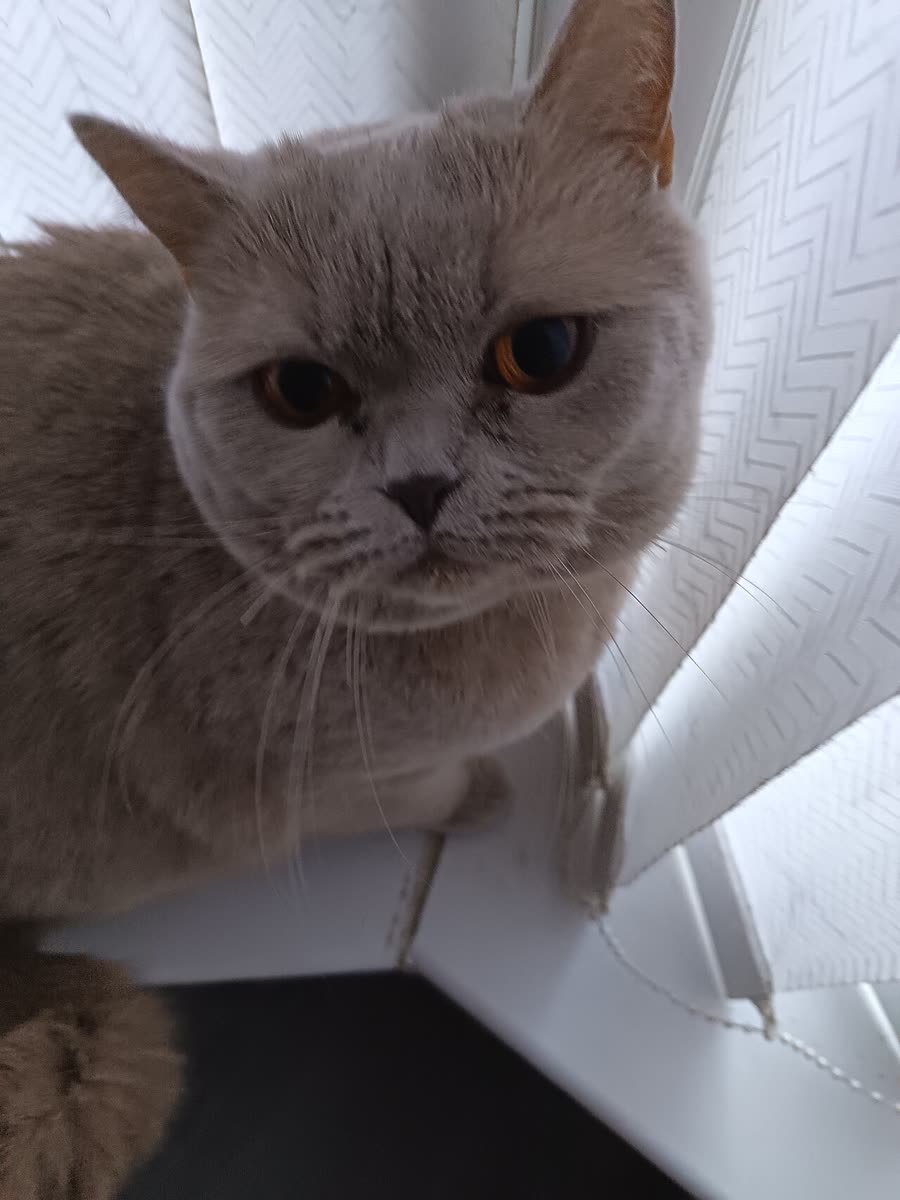
The photo
The video Aipetly made from it
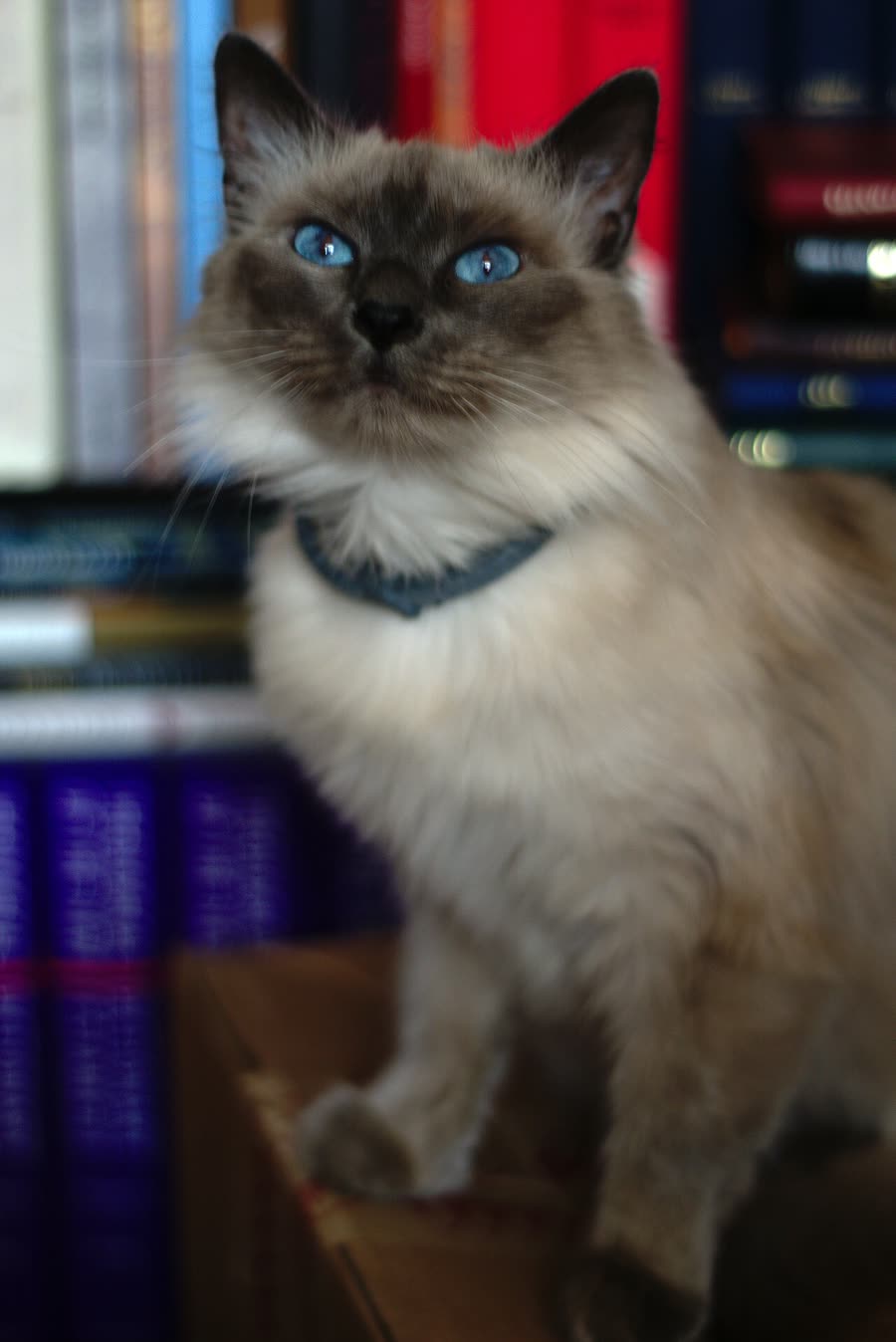
The photo
The video Aipetly made from it
Tips by template
- Dance videos need the whole body: the pet stands up on its hind legs, so full-body photos look most believable.
- Talking pet needs a clear face with the mouth and nose visible; a close-up works best. See talking dog video ideas.
- Pet to human carries over colours and markings, so a photo where they are clear gives the closest character.
- Memorial videos work with older or scanned photos, as long as your pet is in focus. Crop to your pet first.
A 5-second 720p video is 50 credits — 3 with the $9.99 one-time pack.
Make one: AI Dog Dance